
Plants, flowers & gardens
Automatic irrigation in a smart home: connecting your garden to everyday routines
24.10.2026
A smart home does not have to stop at the balcony door. If lighting and shutters already follow your daily routine, watering can be part of the same plan. First decide what would actually help: seeing irrigation zones on your phone, changing a schedule before a trip, or connecting watering to other devices. These are different goals, with different equipment requirements.
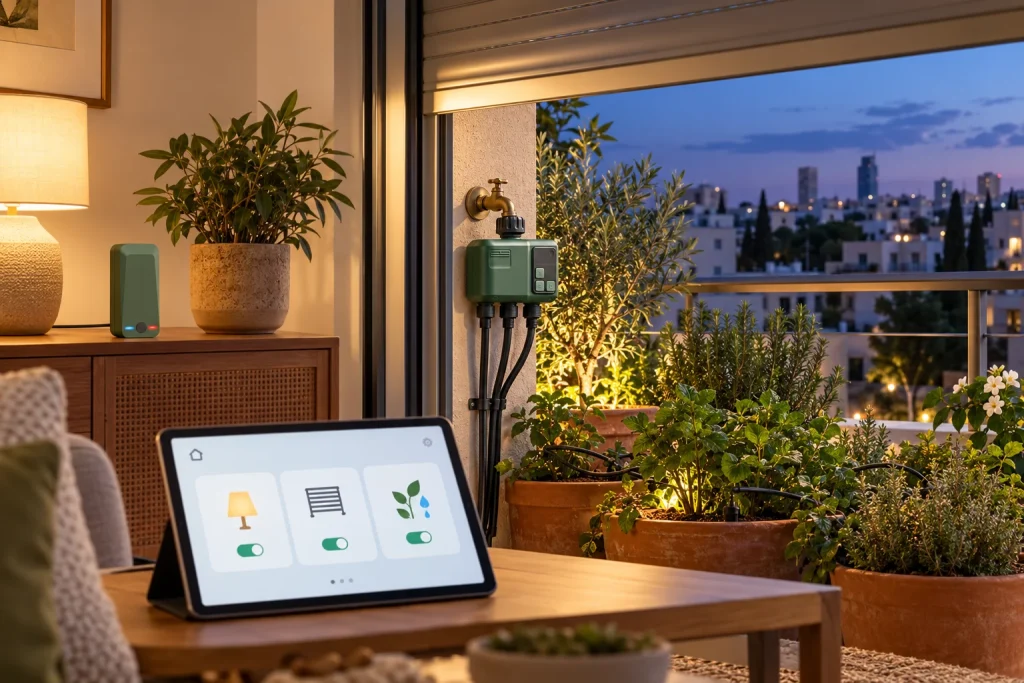
Scheduling, remote control and integration are different
A basic timer opens and closes water on a schedule. A compatible smart timer adds app control. Smart-home integration goes further by including irrigation in a shared control system or a routine involving other devices. For a few balcony pots, scheduling and phone control may be all you need.
Seeing lighting and watering in one app can be convenient. It does not automatically mean that either device can trigger the other. Check the actions exposed by each exact model before purchasing equipment for a shared routine.
How a command reaches the plants
With a gateway-based kit, a remote command generally travels from the app through the internet and gateway to the timer, which opens an irrigation line. Different parts of that route can use different communication technologies. Our catalogue describes the two-outlet HCT-636 as using RF433 between timer and gateway. A gateway with Wi-Fi does not turn the timer itself into a Wi-Fi, Zigbee or Matter device.
When planning automatic irrigation, check the timer-gateway pairing, supported app and signal at the installation point. Choose suitable power and environmental conditions for the gateway. A successful test beside the router does not replace a test at the actual tap with doors and windows in their normal positions.
Useful routines to discuss
- Going away. Turn off unnecessary lights while retaining power to the equipment that watering depends on. Keep a previously tested plant schedule rather than cancelling irrigation with ordinary household appliances.
- Working on the terrace. A supported button or scene can pause a suitable zone. Plan how watering resumes so that a short interruption does not become several dry days.
- Changing weather. If weather conditions are supported, skipping a cycle may be useful. A forecast does not measure moisture in every pot, particularly under a roof.
- Unexpected water. A suitable sensor can send an alert. Automatic shutoff also requires a compatible valve or controller and a tested chain of actions. A sensor alone cannot close the water.
These are planning examples, not a feature list promised for every timer in our catalogue. Build each routine from verified functions, test it on site and retain a clear manual way to operate the system.
Smart Life, Xiaomi Home and Home Assistant
A Smart Life or Tuya device does not automatically join Xiaomi Home because both use the same router. A shared dashboard may require a supported integration or different hardware. Two straightforward apps can sometimes be easier to maintain than a complicated connection between systems.
Home Assistant is one option to investigate when the selected devices and actions are supported. Its Tuya documentation notes that the integration does not expose every Smart Life feature. Test zone control, schedules, status and alerts separately rather than assuming full compatibility. Reference: Home Assistant: Tuya. This is not confirmation that a particular catalogue model supports that integration.
Test what happens without internet
A remote button, a stored schedule and a household automation may depend on different components. Losing internet does not necessarily stop a schedule, but continued operation should not be assumed. During handover, establish where the program is stored, what happens if the gateway loses power and how the equipment recovers. Test under supervision with someone able to stop the water.
Start with a small plan for the home and garden
Write down two or three desired actions, your existing device models and the positions of the taps. Group plants by watering needs. Our interactive irrigation planner helps visualise lines and water points; our installation-cost guide explains the main parts of the work.
We are developing this service in cooperation with ProService. Explore its smart-home planning and installation page in Hebrew for lighting, water-heater controls, sockets and shutters, or its Russian smart-home page. Irrigation, electrical work and integration are agreed for the specific property; attendance is confirmed by location.
For equipment placement, installation and a handover the whole family can use, read how a handyman can help with smart-home and irrigation installation. Begin with one zone and one useful routine, then expand after testing the result.